



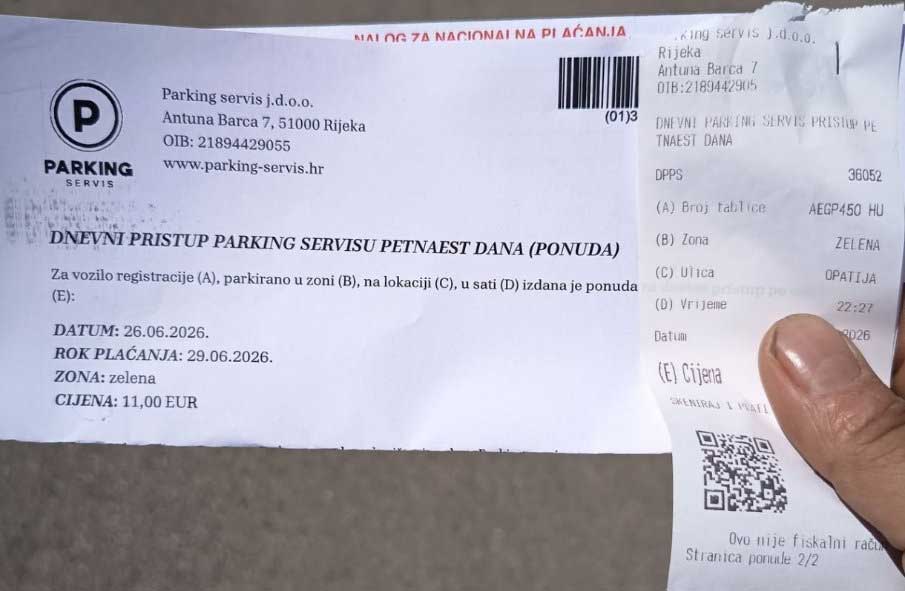

The daily parking ticket can not be paid in cash at the Opatija 21 d.o.o. paydesk, ONLY BY TRANSACTION - by payments made to the transaction account (marked on the payment slip) in a bank, post office or FINA branches, using some online payment (to bank account) or using the Bmove.com application.
Got a daily parking ticket? The easiest way to pay for the issued daily parking ticket is to use the Bmove.com mobile/web app:
- payment without comission,
- no need to visit the cash desk,
- payment can be made by anyone, regardless of the mobile operator - whether you use a Croatian or some foreign mobile network.
Instructions for daily parking ticket payment:
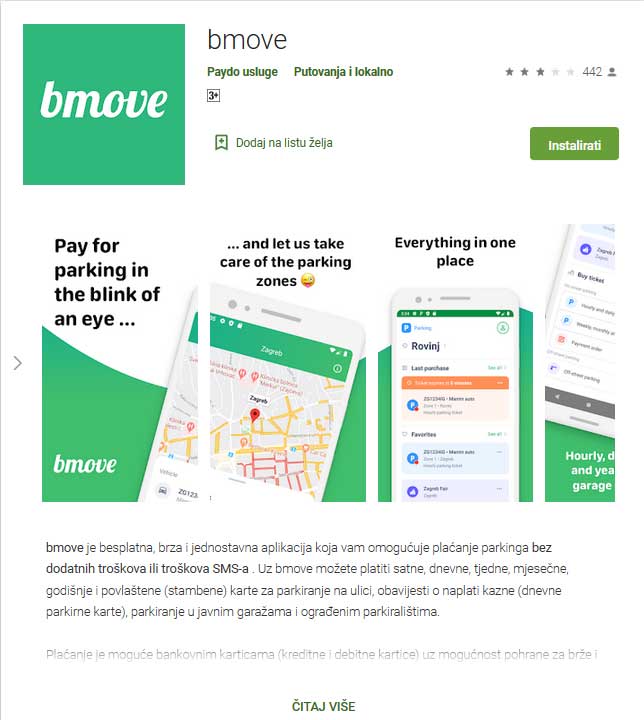
1. Download the Bmove.com app on Google Play, AppStore or AppGallery
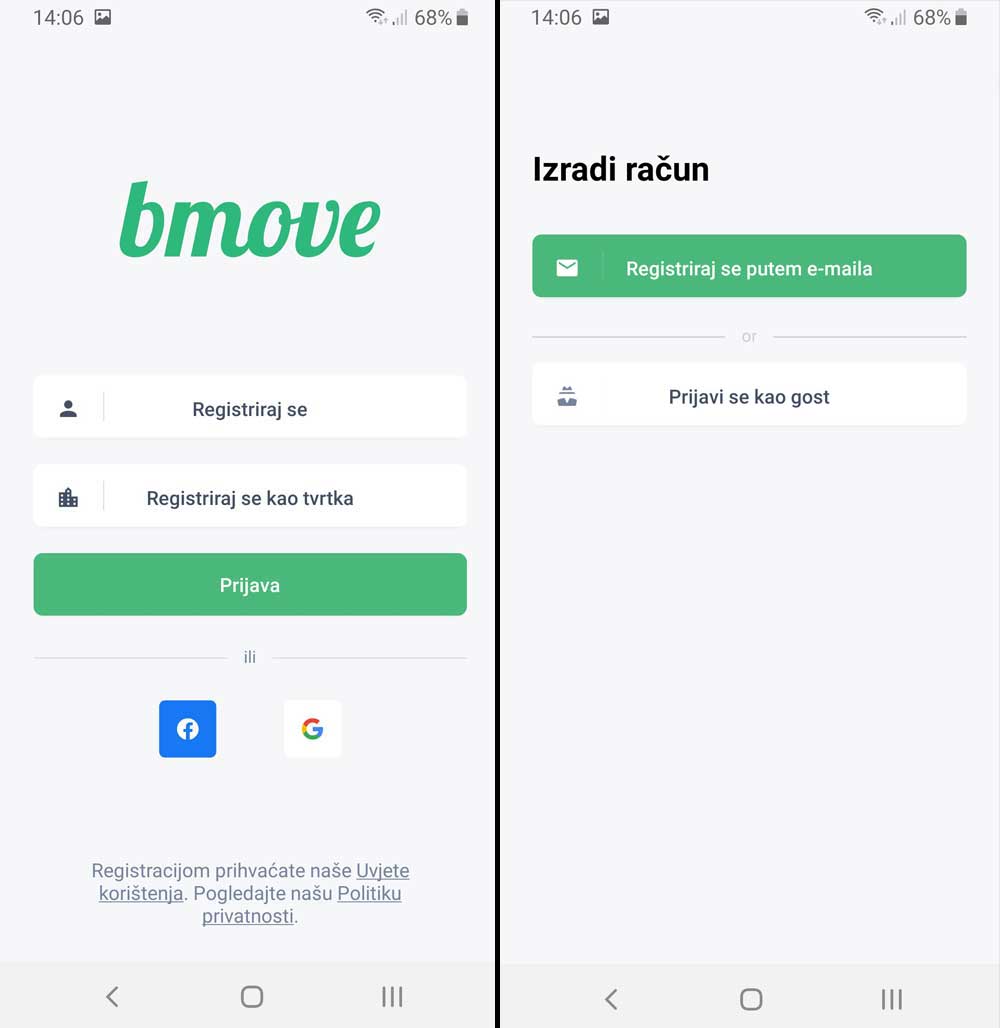
2. Register (create an account)
You can sign in/log using your Facebook or Google account, or you can create a Bmove.com account by entering your email address and setting a personal password.
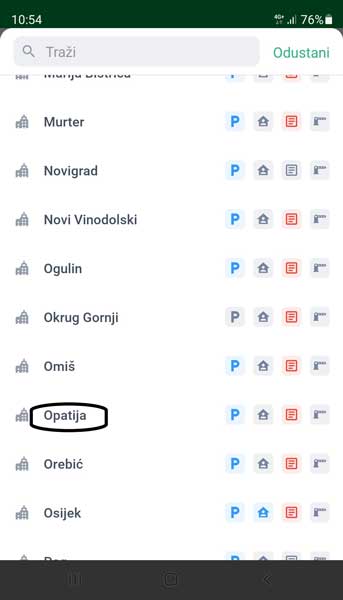
3. After the account is activated, choose the town (Opatija)
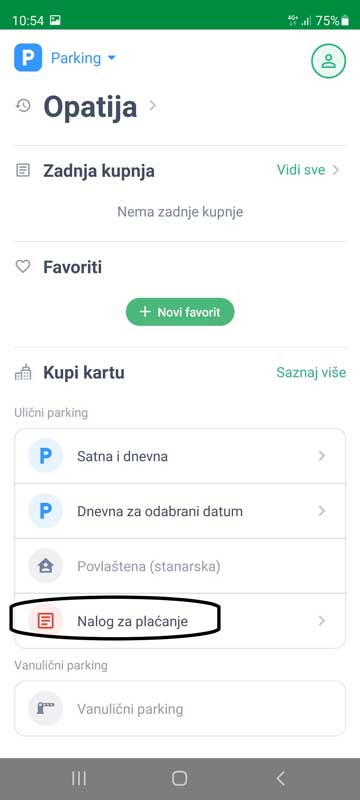
4. Select "Payment" (Nalog za plaćanje)
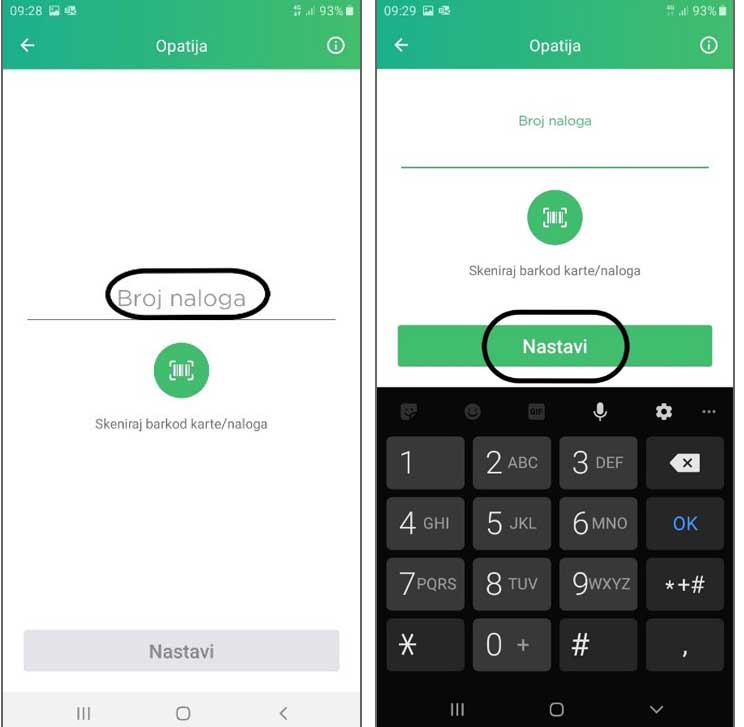
5. Enter the identification number of the daily parking ticket and click "Continue" (Nastavi)
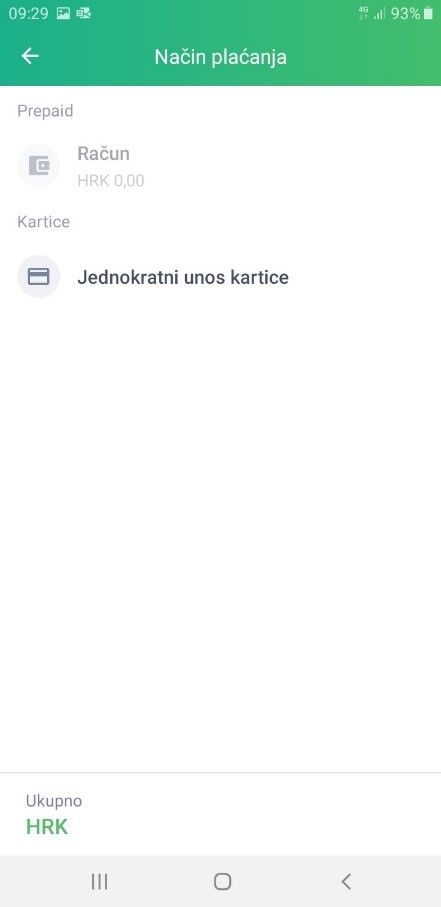
6. Select a payment method - "existing account" (sa postojećeg računa) or "one-time payment" (jednokratni unos kartice)
7. If you selected "one-time payment" you should enter your card data at the CorvusPay service, and click "Pay" - that's it.
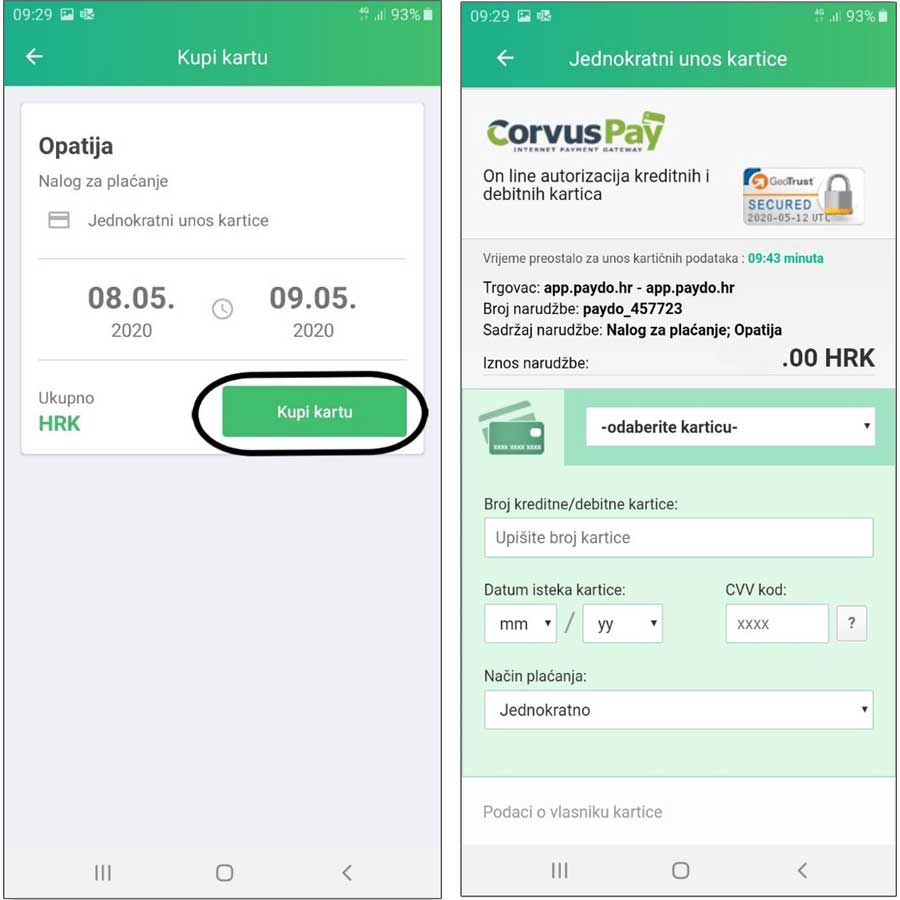
In order not to confuse you in the final step, after changing the name of the application to "Bmove.com", from January 2022, the name of the merchant instead of "app.paydo.hr" will be displayed as "app.bmove.com" - therefore, it is not an error, but only a change of the application name, while all the functionalities have remained the same.